Send a proposal. Get a clear answer.
Proposa is proposal software for freelancers and small studios. Keep every lead and follow-up in one place, send the proposal as one private link, and see when your client opens it, asks a question or accepts.
 proposaNew proposalOverviewLeadsProposalsMCPSettingsAC
Aster & Co.
Via Solferino 18, Milano
Elena Bianchi
Northstar Studio S.r.l.
Strategy, design and build of a focused client-facing site.
Hosting and care€45.00 / month
Billed separately from the project total.One link holds the whole proposal. The document, your client's questions, their decision, and the files you deliver after the yes.
Follow up every lead before it goes cold.
Most proposals are lost to silence, not to a no. Keep everyone you talk to in one pipeline, set the next follow-up, and let your proposals move each lead forward on their own.
- Filters for follow-ups due, to plan and to send
- Follow-up dates, with today and overdue lists
- Call, WhatsApp or email from the lead
- Calls, meetings and notes in one timeline
- Sent and accepted proposals update the stage
Write it once. Send it in your brand.
Write proposals in the editor with your saved clients and services. Then pick one of four templates and make it yours.
- Four PDF templates
- Your logo, colors and fonts
- Any currency, taxes and payment terms
- Recurring fees, like hosting or retainers
- Saved clients and services
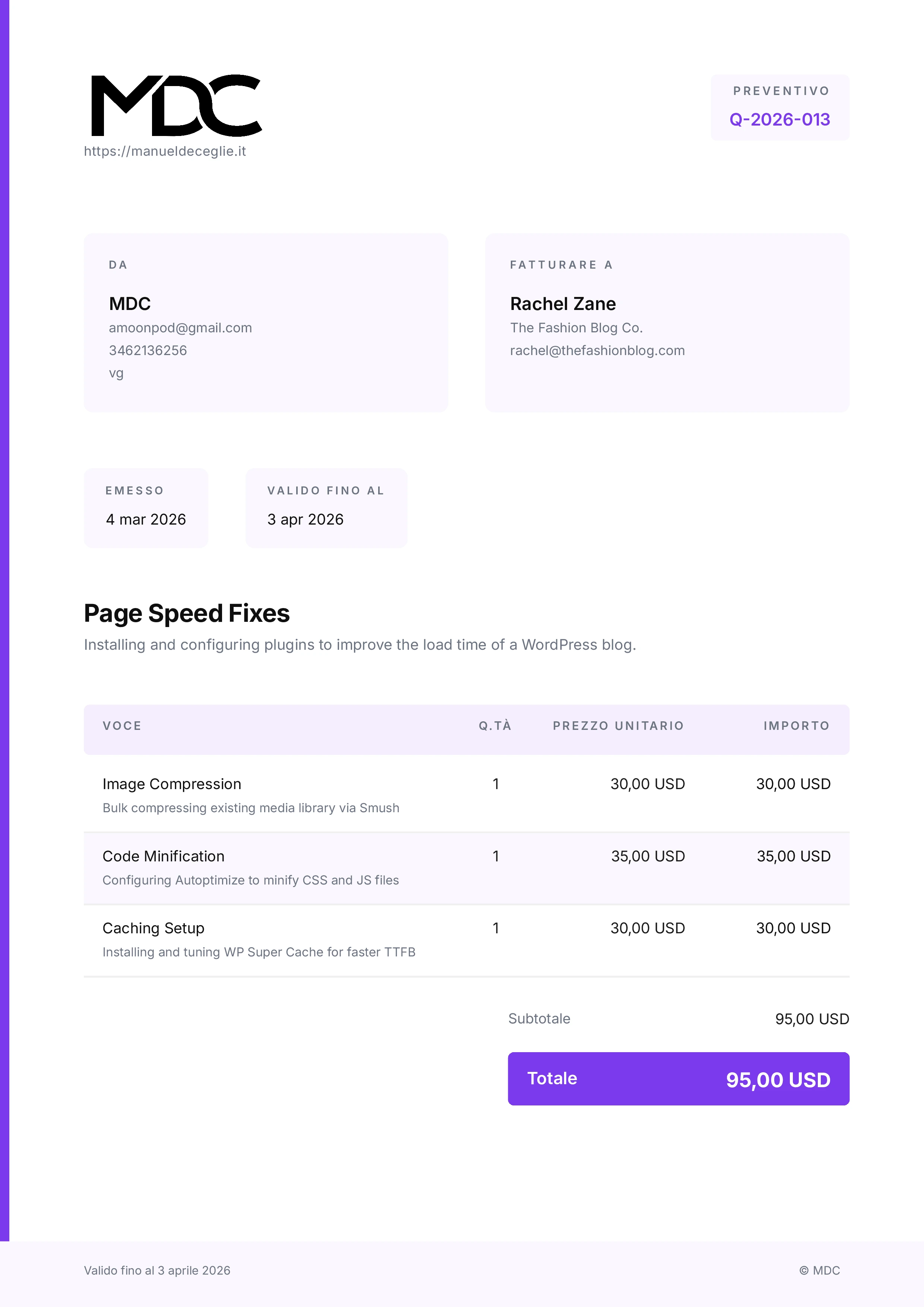 LedgerCompact, crisp, built around the numbers
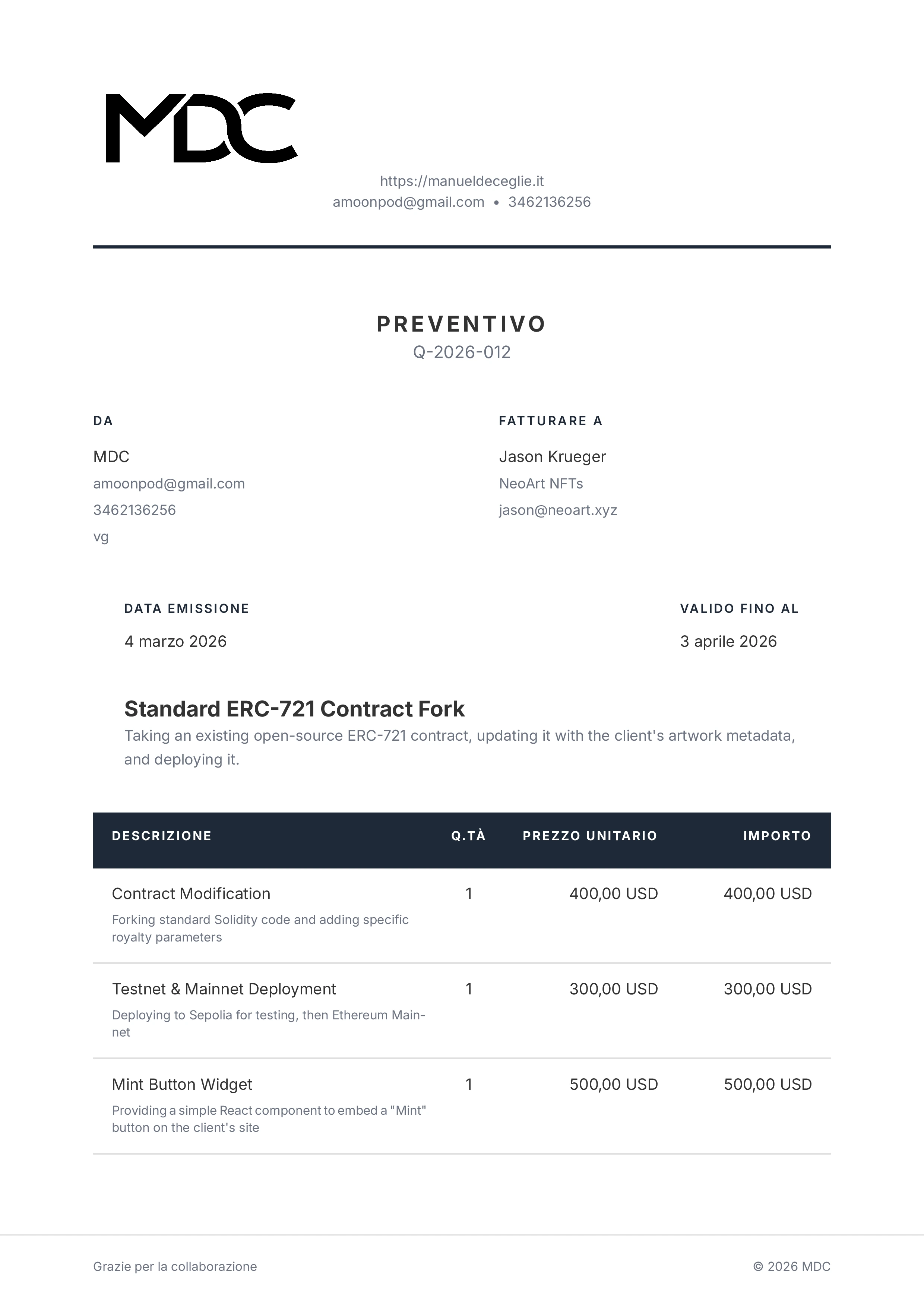 SignatureFormal, authoritative, timeless
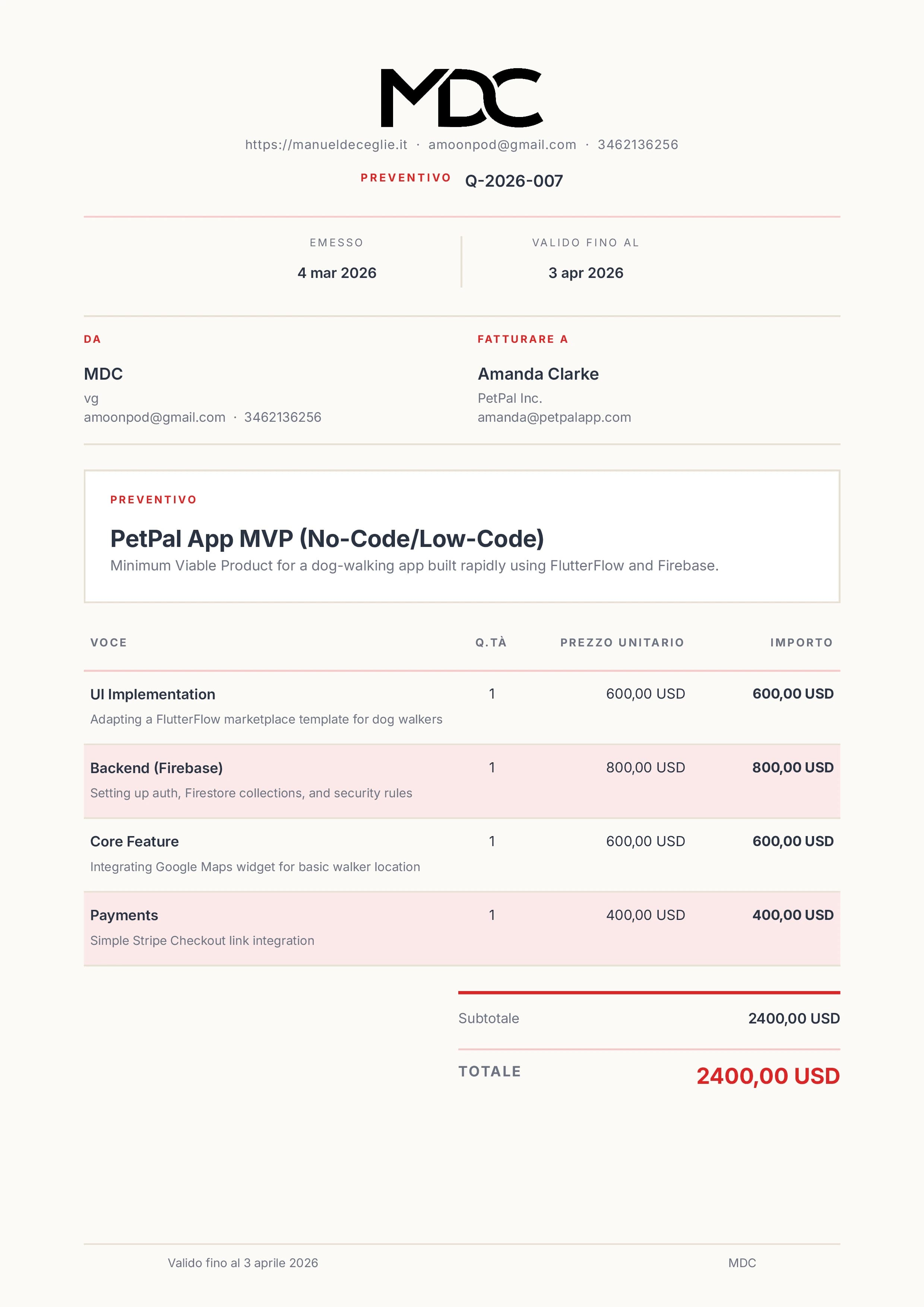 StudioAiry, calm, contemporary
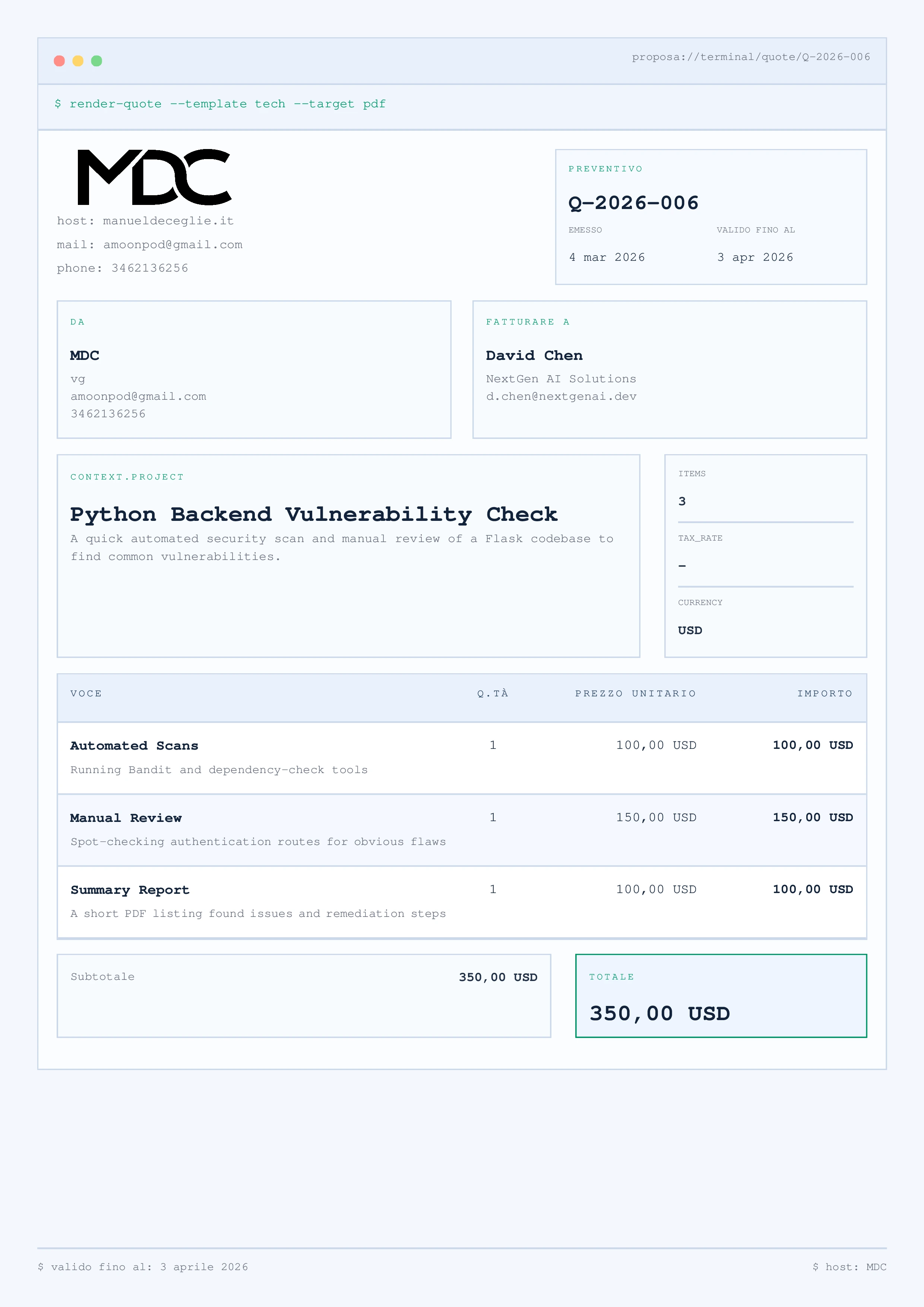 SystemModular, technical, highly legible
Your client gets one private link.
No account to create and no attachments to chase. Everything your client needs is on one page.
- Read it online or download the PDF
- Accept or reject it on the same page
- Ask questions right next to it
Know where every proposal stands.
Your dashboard updates as soon as a client opens or answers. After a yes, the same link keeps working for the project.
- Opens, replies and decisions
- Project updates your client can follow
- Deliverables and invoices you upload
Let your AI assistant write the first draft.
Connect Codex, Claude Code or another MCP client. Your assistant turns call notes into a draft with your saved services and defaults, and you review it in Proposa.
- Runs on your own AI subscription. Proposa doesn't run a model or resell tokens.
- Your assistant needs your OK before it creates, edits or publishes.
- Publishing returns the client link. You decide how to send it.
- A decision your client records can't be overwritten.
Optional. Every proposal can be written by hand in the editor.
Free for 7 days. Early users pay once.
The trial includes everything and needs no card. When you buy, the current tier sets the price. The first two tiers are lifetime access. After 150 paying users, new accounts move to a monthly plan.
Every plan includes
- Unlimited active proposals
- Leads pipeline and follow-up reminders
- All four templates and your branding
- Client link, messages and activity
- Shared deliverables and invoices
- MCP access for your assistant
7 days free. No card required. Create an account to start.
- First 50 paying users$9.99one-timeLifetime access
- Users 51 to 150$19.99one-timeLifetime access
- After 150 paying users$12/ monthMonthly plan
Checking the current tier... You create an account first, then confirm the price in Stripe checkout.
Want a hand with your first proposal?Opens your email app.
Book a 20-minute setup with ManuelQuestions
What is Proposa and how do I start the free trial?
Proposa, at getproposa.app, is proposal software for freelancers and small studios, made by Manuel De Ceglie. Create an account to start a seven-day trial, write your first proposal, and share its private link. Your client can read it, ask questions and record a decision. No card is required, and the trial never charges you automatically.
Does my client need an account?
No. Your client opens a private link to read or download the proposal, accept or reject it, and send questions on the same page.
Do I have to use AI?
No. You can write and edit every proposal in the Proposa editor. If you want help with drafts, connect an MCP-compatible assistant on your own subscription. Proposa doesn't run a model on your notes or resell AI tokens.
Can my assistant send the proposal?
Not by itself. With your confirmation it can publish the proposal, which activates the private link and returns it. You choose how the link gets sent. Proposa only emails your client the access codes they request and notices about new messages.
Can I keep track of leads before I send a proposal?
Yes. Add everyone you talk to as a lead, move them through stages, log calls and meetings, and set the date of the next follow-up. Proposa lists who to follow up today and who is overdue. Linking a proposal moves the lead forward: a draft marks it ready to send, sending marks it as proposal sent, and acceptance marks it as won.
Can I use my own branding?
Yes. Choose one of four templates and set your logo, colors, fonts, currency, taxes and terms. Your client can download the proposal as a PDF.
What happens after the client accepts?
The decision is recorded in your workspace. Keep using the same link for messages, project updates, deliverables and invoices you upload. Proposa doesn't create invoices or collect payments from your clients.
What happens when the trial ends?
You decide whether to buy. The trial needs no card and never charges you automatically. Checkout shows the current tier and final price before you pay.
Send your next proposal with Proposa.
7 days free. No card required. Create an account to start.